The Fleets Module: Deploy Your Fleet from Discord!
The Hangar has been live for just 16 days, and the Freedom Alliance Navy is booming! Across the Alliance, over 500 clans have commissioned more than 3,000 ships, issued more than 7,500 deployments, weathered 170 hull breaches, and earned a combined 260,000+ Fleet Points. The metagame is real, and it's growing fast.
But all of that drama has been happening solely here on HD2Clans.com. That changes today with the Fleets Module - a brand new Module for Melchior that lets you view and deploy your ships directly from your clan's Discord server! We've also added a new section to /notifs that lets you enable Discord DM notifications for your ships - so Melchior can alert you if your ship finishes a deployment, exits a drydock, or experiences a hull breach!
First, a Quick Refresher: What Is The Hangar?
If you've been heads-down on Orders and haven't checked it out yet, here's the short version. The Hangar lets your clan commission, customize, and deploy your very own ships! It lives right here at hd2clans.com/hangar and tracks every warship fielded by Alliance clans: their status, deployment history, and condition in real-time.
Clans build their fleets by earning Fleet Points (FP) through active deployments, and spend those FP in the Fleet Shop to commission new ships - from the agile Strigoi-class Corvette all the way up to the legendary Jutland-class Dreadnought. Every player also starts with a free personal Super Destroyer that follows them between clans. Each ship has hull integrity that wears down on deployment, recovers in drydock, and earns XP that unlocks customization in the Paint Shop.
The Hangar is where the heavy lifting happens: commissioning, painting, assigning Shipmasters / Captains / First Officers. The Fleets Module on Melchior is now the everyday companion for it. Let's dive into the four new Discord slash commands available in the Fleets Module!
/fleetboard - A Living Fleet Status Tracker in Your Server
If you're a Melchior Admin, you can use the /fleetboard command to set one up! First, set up a channel that lets everyone see the channel, but not chat in it, so the board can be displayed. Then, use /fleetboard to pick the channel. Melchior will set up your board, and then automatically connect it to your clan's fleet data, along with updating the rendered image every 2 minutes to show the entire distribution of the FA Navy throughout the galaxy. Anyone in your clan can click 'Actions' to dive into useful functions: browse your ships, view recently completed deployments, or find ships that need Crew.
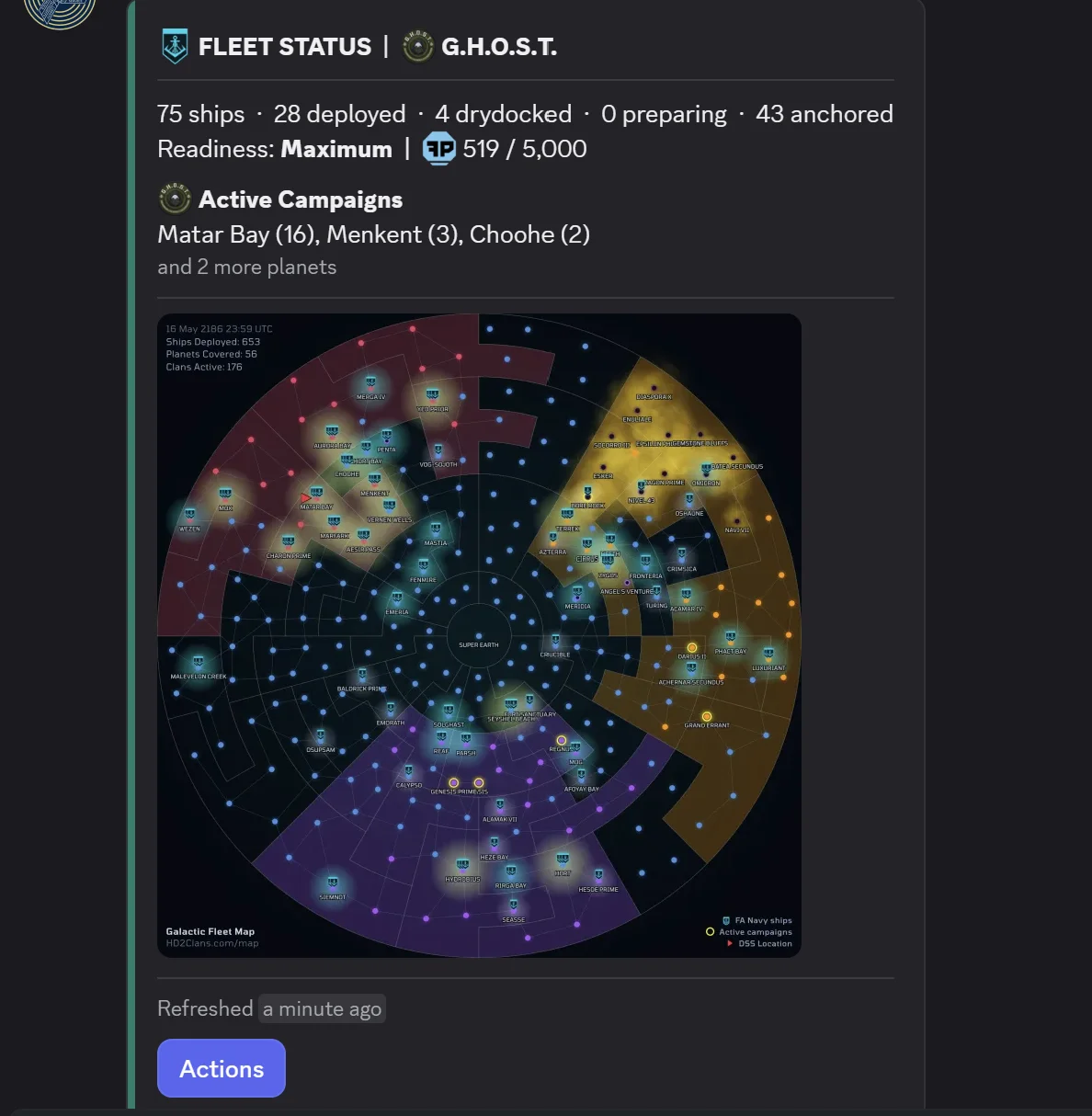
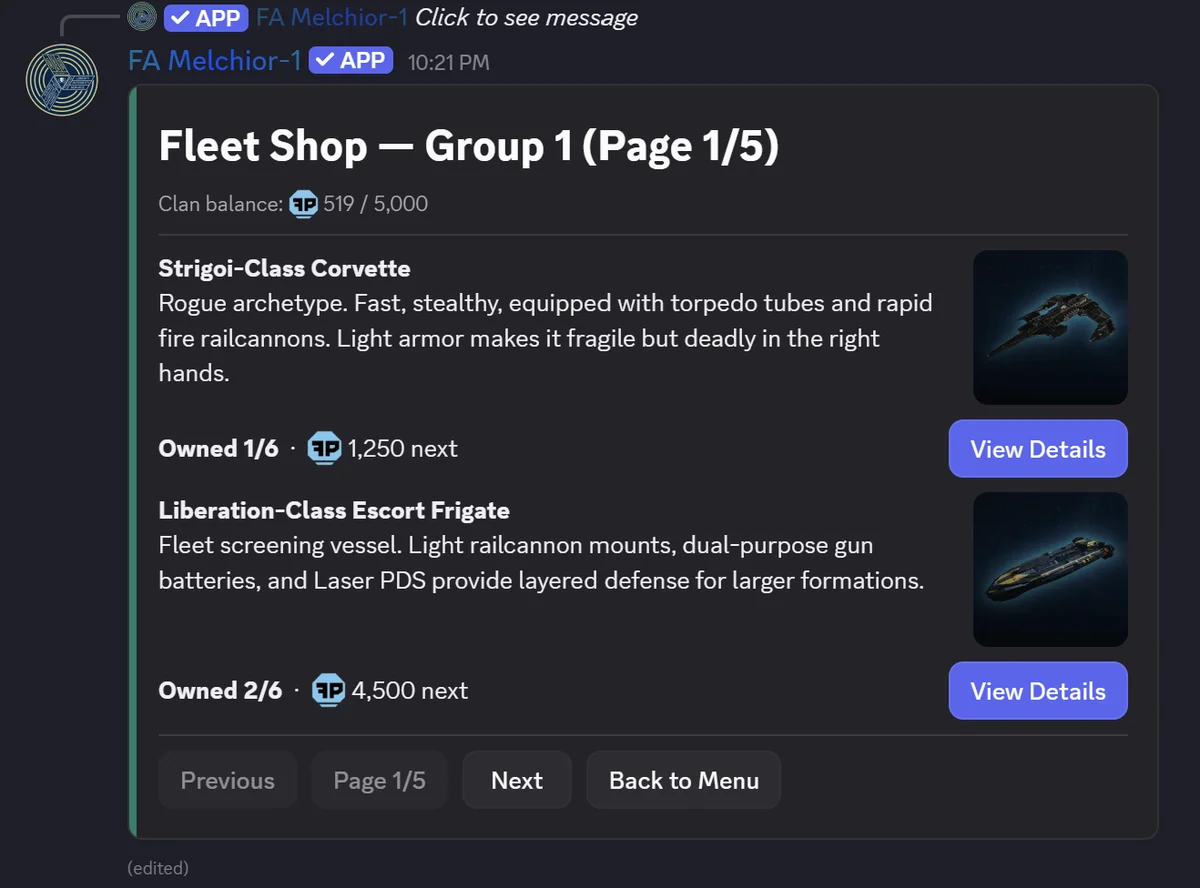
If you press 'Actions' below your clan's Fleetboard, there's also a 'Fleet Shop' button too! You can press that to browse your clan's fleet shop, directly from your Discord server!
/deploy - Issue an Order to a Ship
/deploy is the everything-button for moving ships around. Pick a ship you have authority over, pick an action (Deploy, Recall, Drydock, Redirect, Escort DSS), and pick a target. It works for your personal Super Destroyer too.
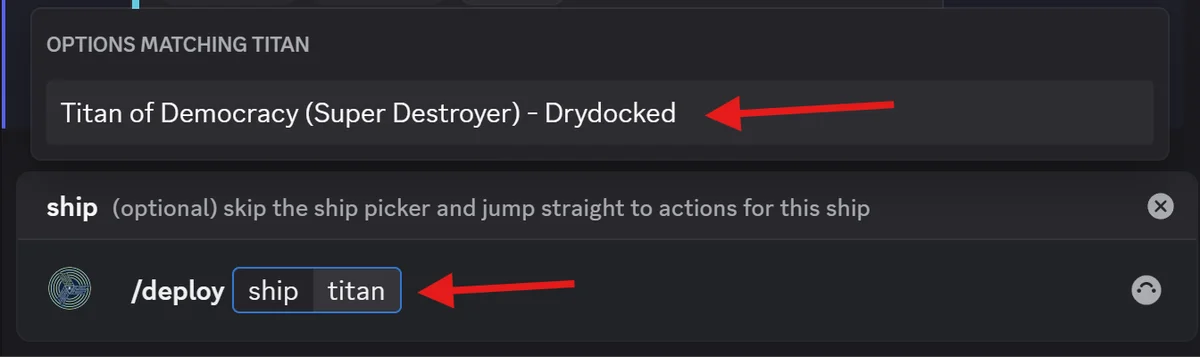
There's also a shortcut: if you start typing a ship name in the optional ship: parameter, it'll auto-complete with a list of matching ships - letting you jump straight from the slash command directly to that ship's actions page.
/fleet - Your Personal Fleets Panel
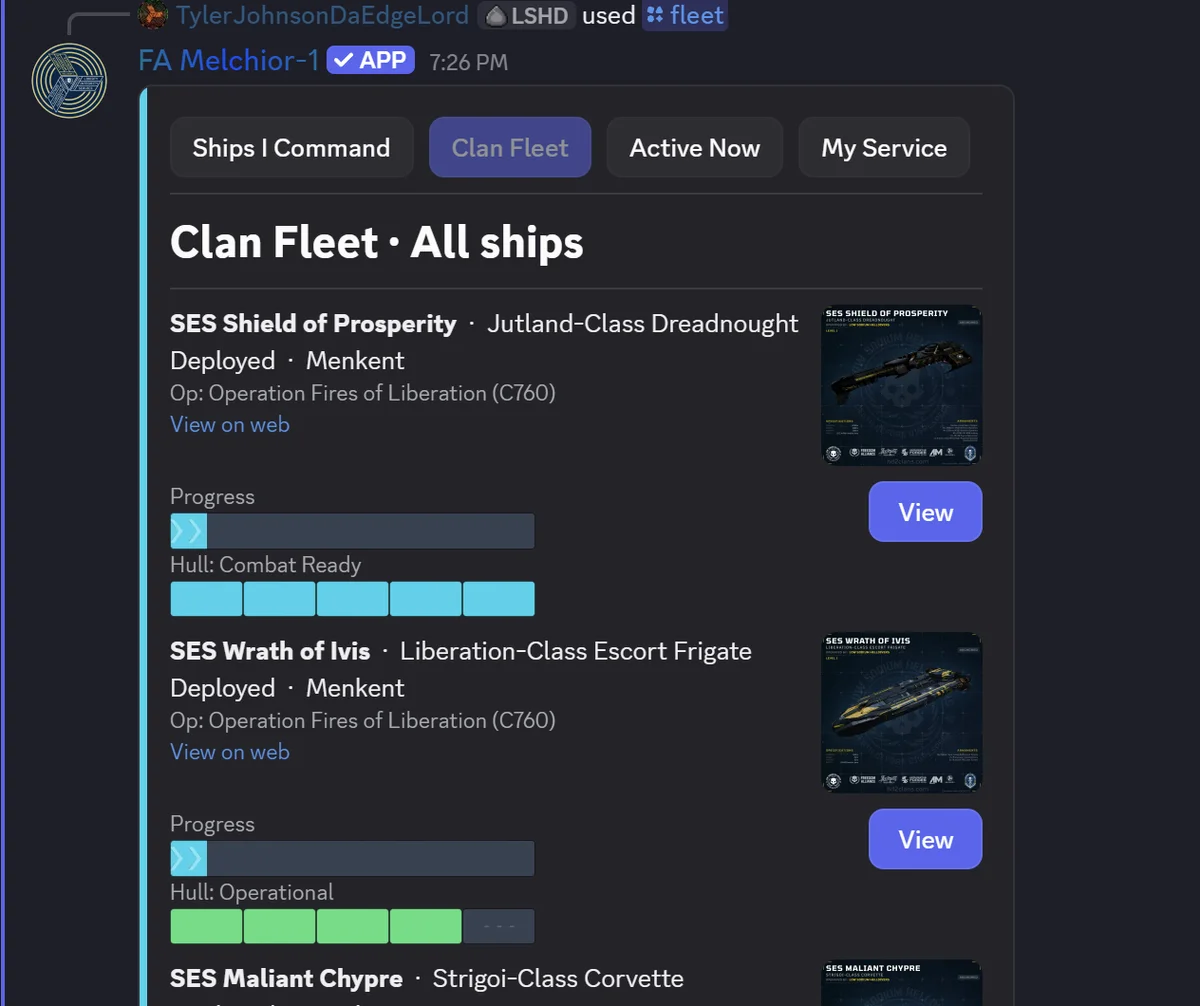
Whereas the Fleetboard is a publicly-accessible entrypoint to do everything, /fleet is your personal home base. Four buttons across the top of the /fleet command let you switch between Ships I Command, Clan Fleet (your clan's entire roster), Active Now (everything currently deployed or in motion), and My Service (your personal crew history). View any ship to see its hull, repairs, XP, crew, and your next unlocks. From a ship you have authority over, Take Action jumps you straight to the deployment flow.
/fleetmap - A Live Galactic Fleet Map
/fleetmap lets you call the same image available in /fleetboard, and also gives you a hotlink to jump straight to the website with a custom view that filters to show only your clan's deployments. If you want a quick way to view where all of a clan's ships are, use the /fleetmap command to find out!
/notifs - Get Pinged When Your Fleet Needs You
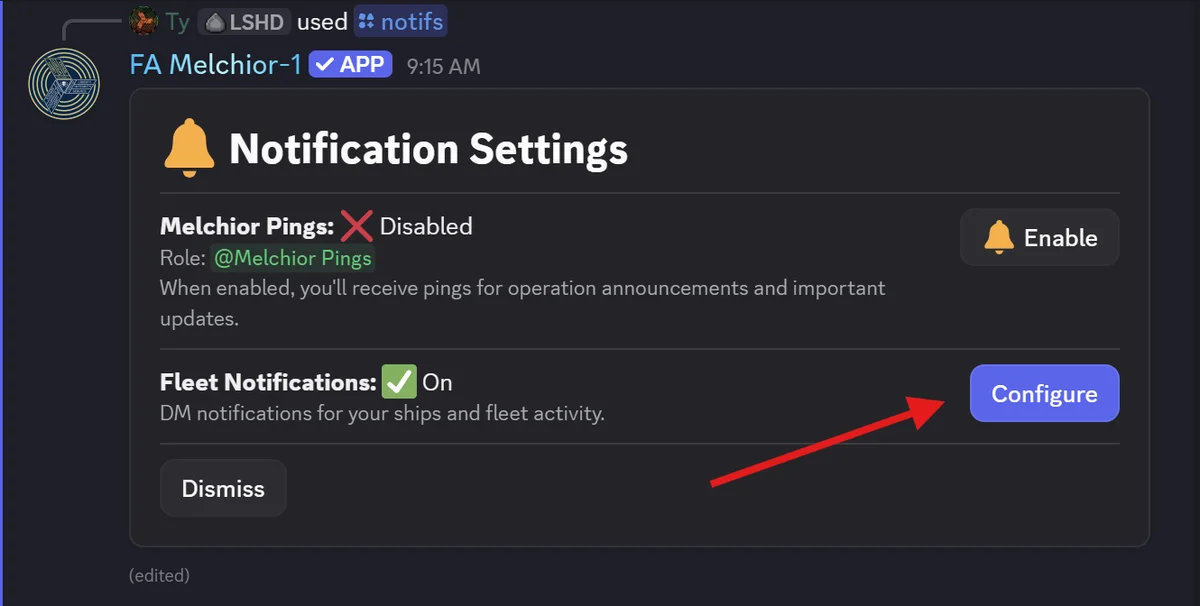
We also extended the existing /notifs command with a brand new Fleet Notifications section! Open /notifs, hit the Fleet Notifications button, and you'll find three sections of DM toggles:
- My Super Destroyer: get DMs about your Super Destroyer
- Ships I'm Assigned To: get DMs about any ship where you're listed as Captain or First Officer
- Custom Watchlist: pick up to 30 ships from your clan's fleet to track
For each section, you choose which events you want to hear about: Breached (for hull breaches), Deployment Finished, and Drydock Finished. Every toggle is off by default, so you only get the pings you actually want.
Bonus: Drydock Rework
Also bundled into this rollout is a rework of the Drydock duration picker. Previously, you could only select from 1 to 7 days for Drydock durations; this was a bit clunky and made it hard to figure out how long you needed.
After reviewing 1,400+ drydocks, it turns out most of you were doing one of two things... either picking 1 day to get the ship back in action ASAP, or picking 3+ days as a rough guess at 'fix it back to full'. The 1-7 day picker was leaving a lot of ships still drydocked when they could have finished and gone back on deployment.
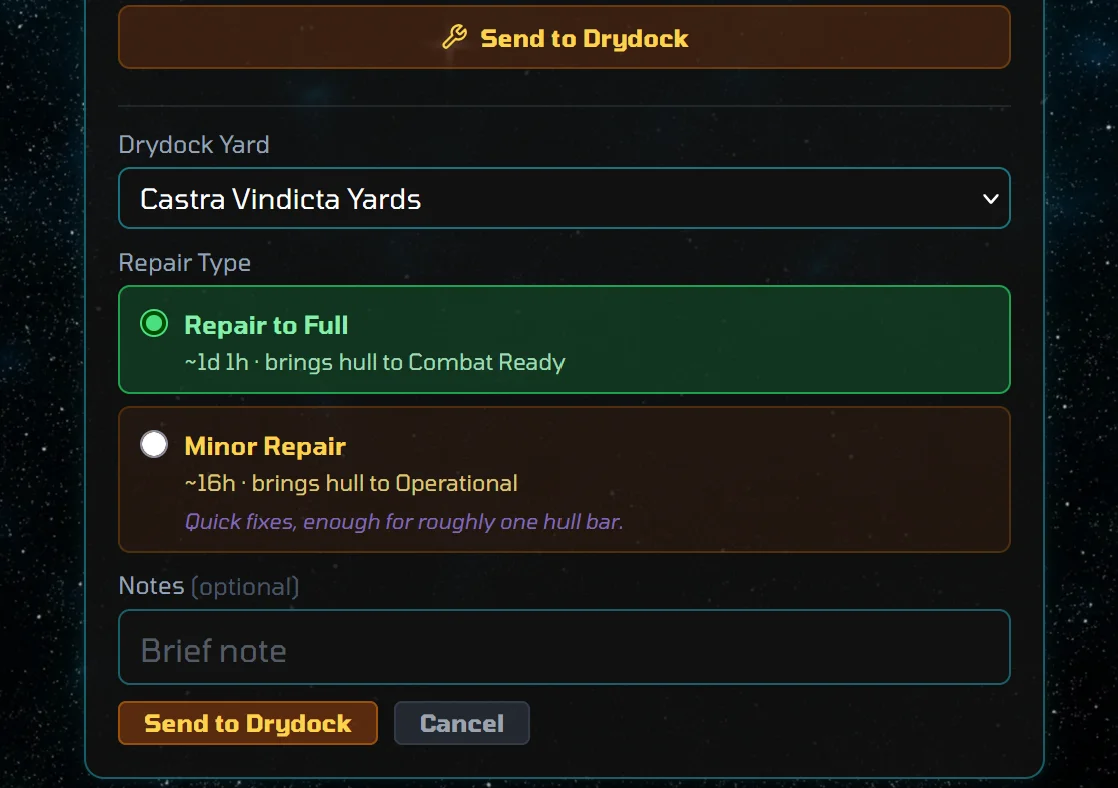
So, we replaced the old picker with two clean options:
- Repair to Full - this lands the ship at 100% hull. Time varies with how beat up your ship is, but you don't need to think about it.
- Minor Repair - this bumps your ship up one hull tier (i.e., going from Critical to Compromised, Compromised to Battle Worn, etc.), capped at roughly 24 hours. Good for "patch the worst of it and get her back on the line".
Emergency Drydock is unchanged and still takes 24 hours to get your ship up from critically breached. Both 'Repair to Full' and 'Minor Repair' enforce the same 1-hour minimum as the old drydock options, so you can still recall early once at least an hour has elapsed.
How to Enable the Fleets Module
In your clan server, use the /setupmodules command and toggle on the Fleets module. That's it. The four commands become available to your members and your existing Hangar data on the website is untouched. And as always: if you don't want any of this, simply don't enable the module! Like every Melchior module, Fleets is fully optional. Disabling it just hides the commands; nothing is deleted.
Sneak Peek
Before we close out for the day, we've got one sneak peek... the Freedom-Class Light Cruiser is coming soon!
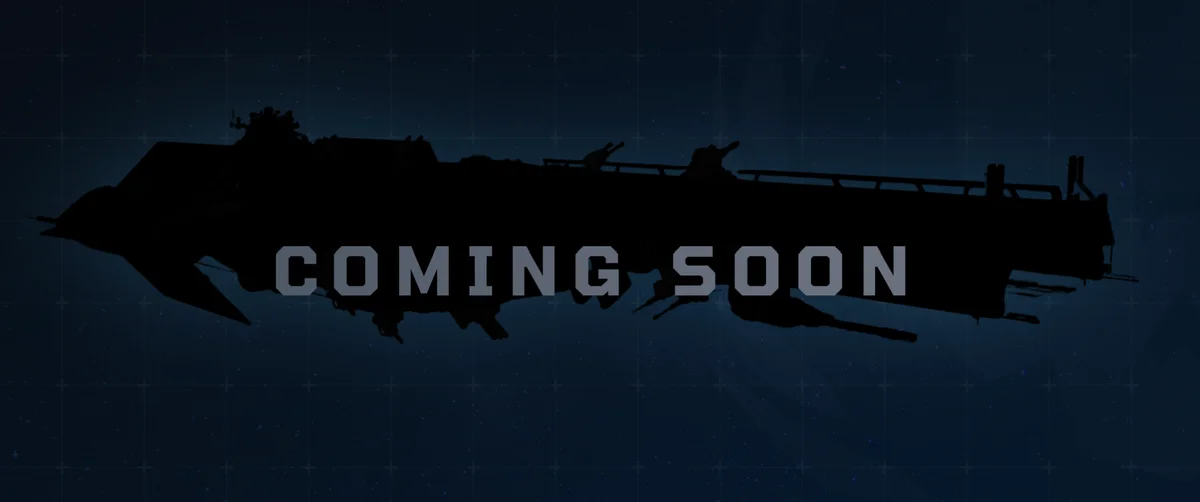
The Freedom-Class was designed after the destruction of the Meridia Super-Colony to fill the role of a Helldiver Command Ship - it's a little less than twice the size of a Super Destroyer, with better sensors and a much heavier armament, allowing it to serve as a leader of Super Destroyer groups.
Will your clan work towards a Freedom-Class, or get left behind by the ones that do? We'll see once it drops soon!
That's it for today. Head to Melchior and use /setupmodules if you want to enable the Fleets Module and take command directly from your clan server! If you don't have Melchior installed, head here to get connected!
Questions? Join the Support Server here.